Web applications
Custom web applications, panels and dashboards for focused workflows.
I build focused browser-based tools for companies that need better order in data, requests, reports or daily operations. The starting point is the workflow, users and first useful version, not an oversized enterprise system.
In short: A web application should bring order to one specific, repeatable kind of work — data, requests, reports or operations — in a clear browser interface. We start from the process and real users, not from over-building. Dashboards are shown as examples of our work, not as a goal in themselves.
What a web application can include
- Process, users, roles and the first useful version
- Dashboards, CRUD screens, forms, tables and data views
- Integrations, imports, reports and business logic where they fit
- Handover without artificial vendor lock-in
When it makes sense
- You manage repeated work in spreadsheets or messages.
- You need a clearer view of data or tasks.
- You want a focused tool before a larger system.
Example / use case
Example direction
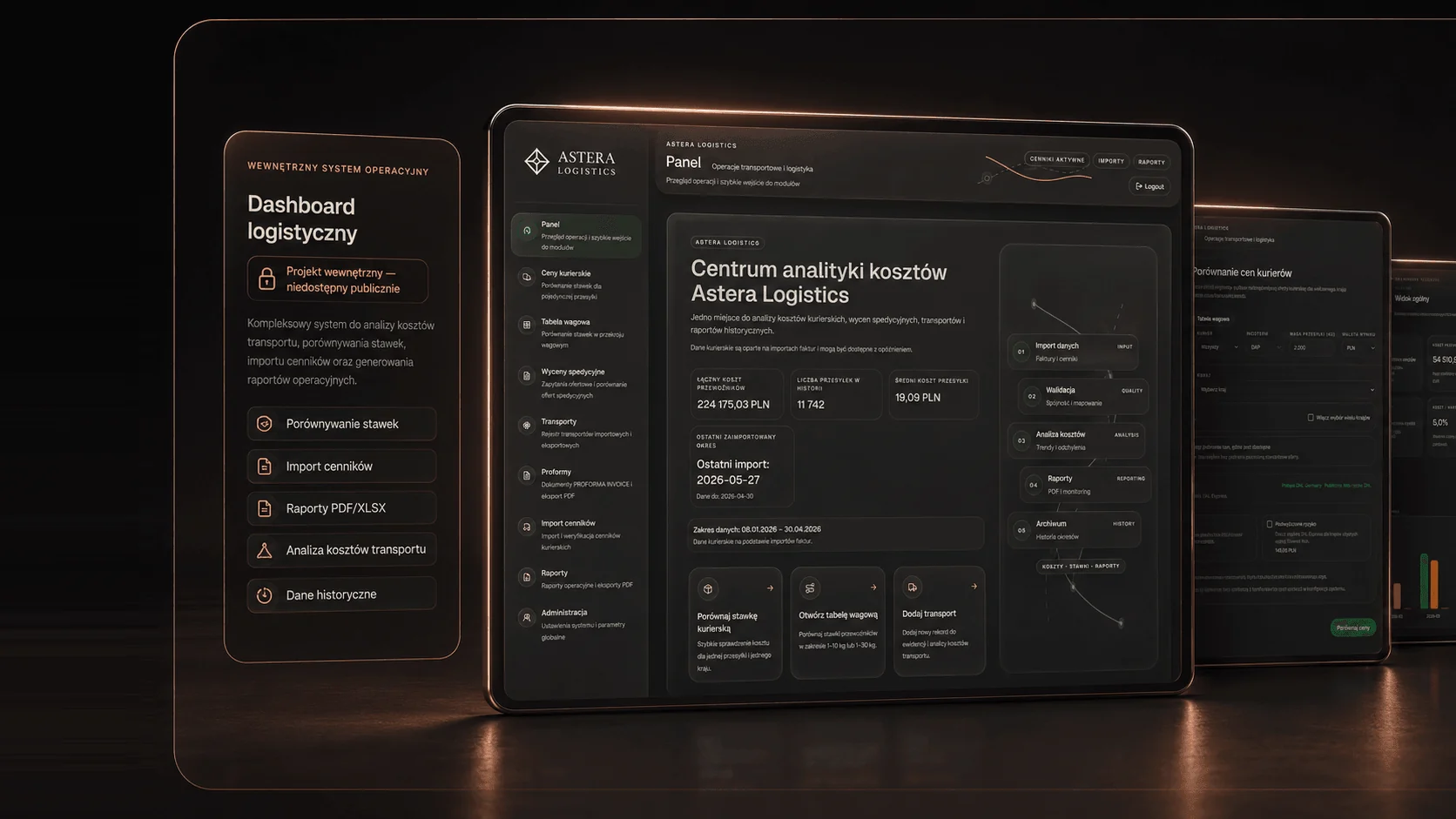
This demo concept shows how a lighter operational interface can organize tasks, metrics and daily management views. It is an example direction, not a client project or public deployment.
Workflow, projects and approvals
Data import, validation and reports
Automation, spreadsheet or custom panel?
If existing tools mainly need to exchange data, automation may be enough. If a spreadsheet still gives the team enough control, it does not need to be replaced by force. A custom web application makes sense when the workflow needs its own interface, roles, data model, reporting or integrations.
Panels and dashboards from real work
RBAIO can show an anonymized logistics dashboard and the Skarbnik application. They are proof of work on interface, data and workflow, without adding unconfirmed conversion numbers or business results.
Process
How a focused web app starts
Process
We describe the real workflow, users, data and decisions the tool should support.
Screens
I turn that workflow into screens, states, tables, forms and dashboard structure.
Build
The first version focuses on the useful core instead of unnecessary platform scale.
Iteration
We refine edge cases, empty states, data views and operational details.
Information
Common questions before building a web application.
When is a web application better than automation?
When the workflow needs its own interface, roles, data model, reports or decisions. If existing tools only need to exchange information, automation may be enough.
Is this a full SaaS product?
Not by default. The safer first step is a focused internal tool, dashboard or panel that solves one real workflow.
Can it use roles and permissions?
Yes, where the process needs it. The scope should stay proportional to the first useful version.
What do you need to estimate it?
A short workflow description, example data, user types and the most important screens are enough for a first scope.
Have a workflow that needs its own panel?
Send the workflow, user types, data sources and the first useful outcome. We can decide whether the right first step is a web application, automation or a simpler process cleanup.
Describe the workflow for a custom panel